Webhooks & Slack Integration
Use webhooks to receive real‑time notifications whenever a prompt version is created, updated, or deleted in Langfuse. This lets you trigger CI/CD pipelines, sync prompt catalogues, or audit changes without polling the API.
Why use webhooks?
- Production Monitoring: Get alerted when production prompts are updated
- Team Coordination: Keep everyone informed about prompt changes
- Syncing: Sync prompt catalogues with other systems
Get started
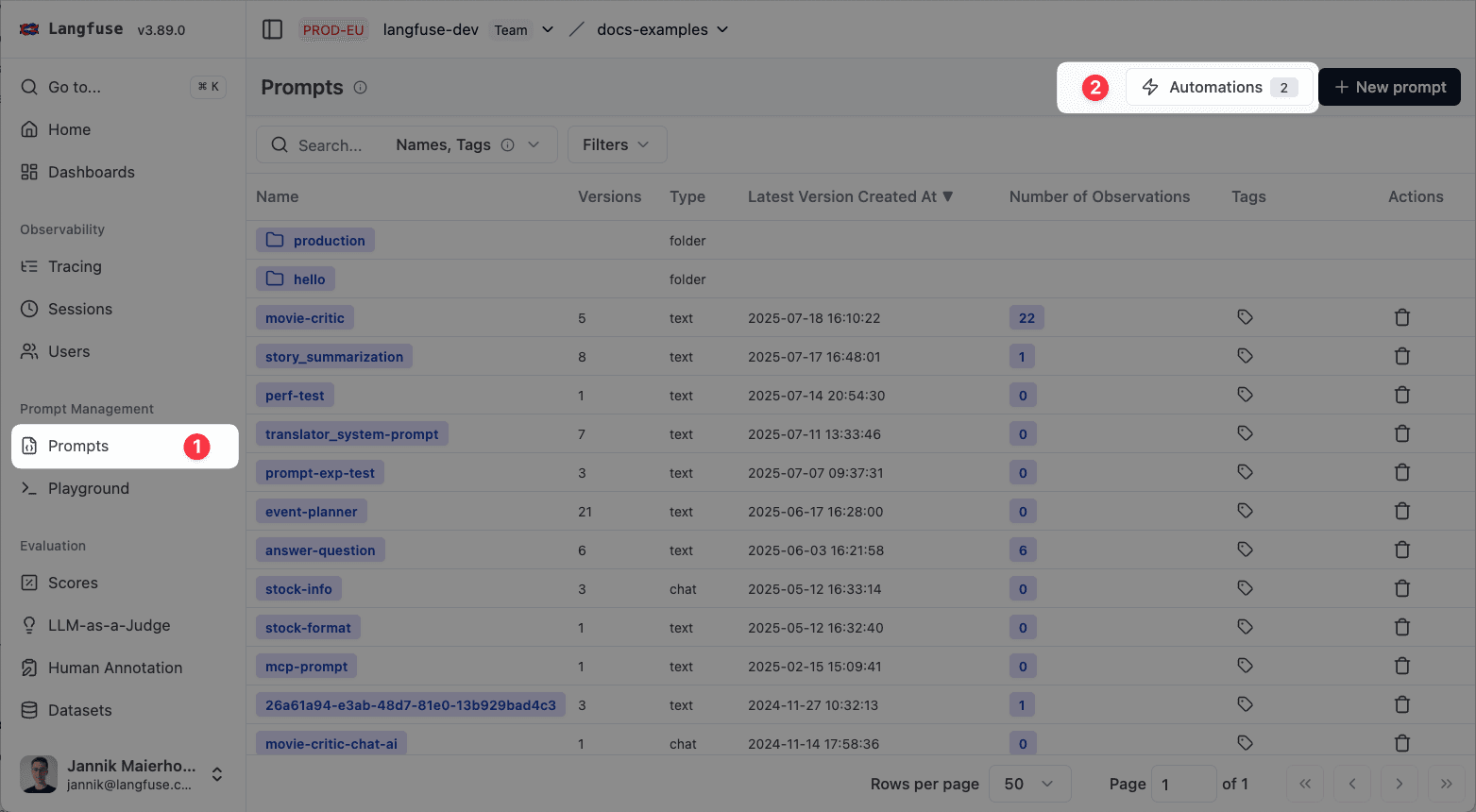
Navigate to Prompts and click on Automations.
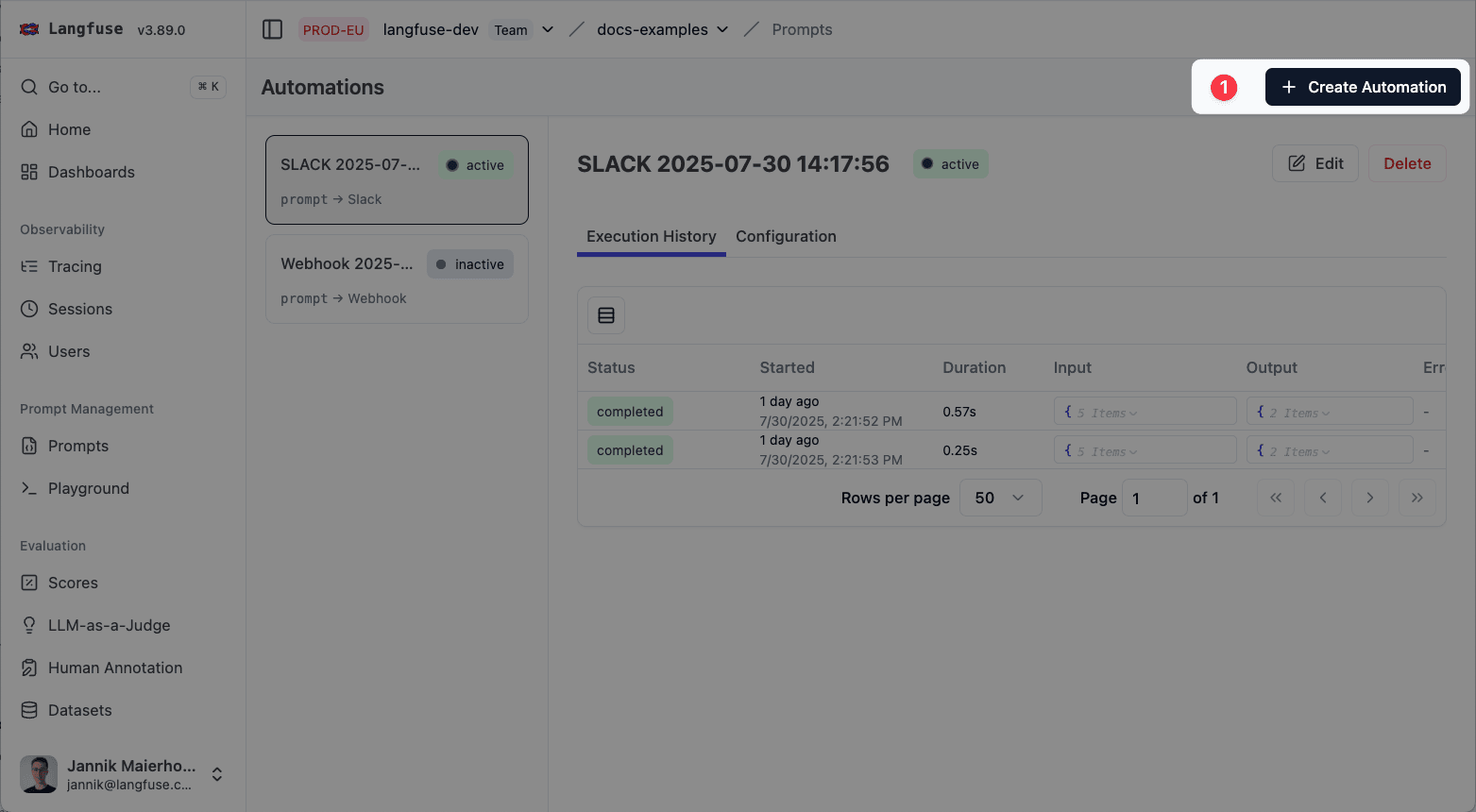
Click on Create Automation.
Select events to watch.
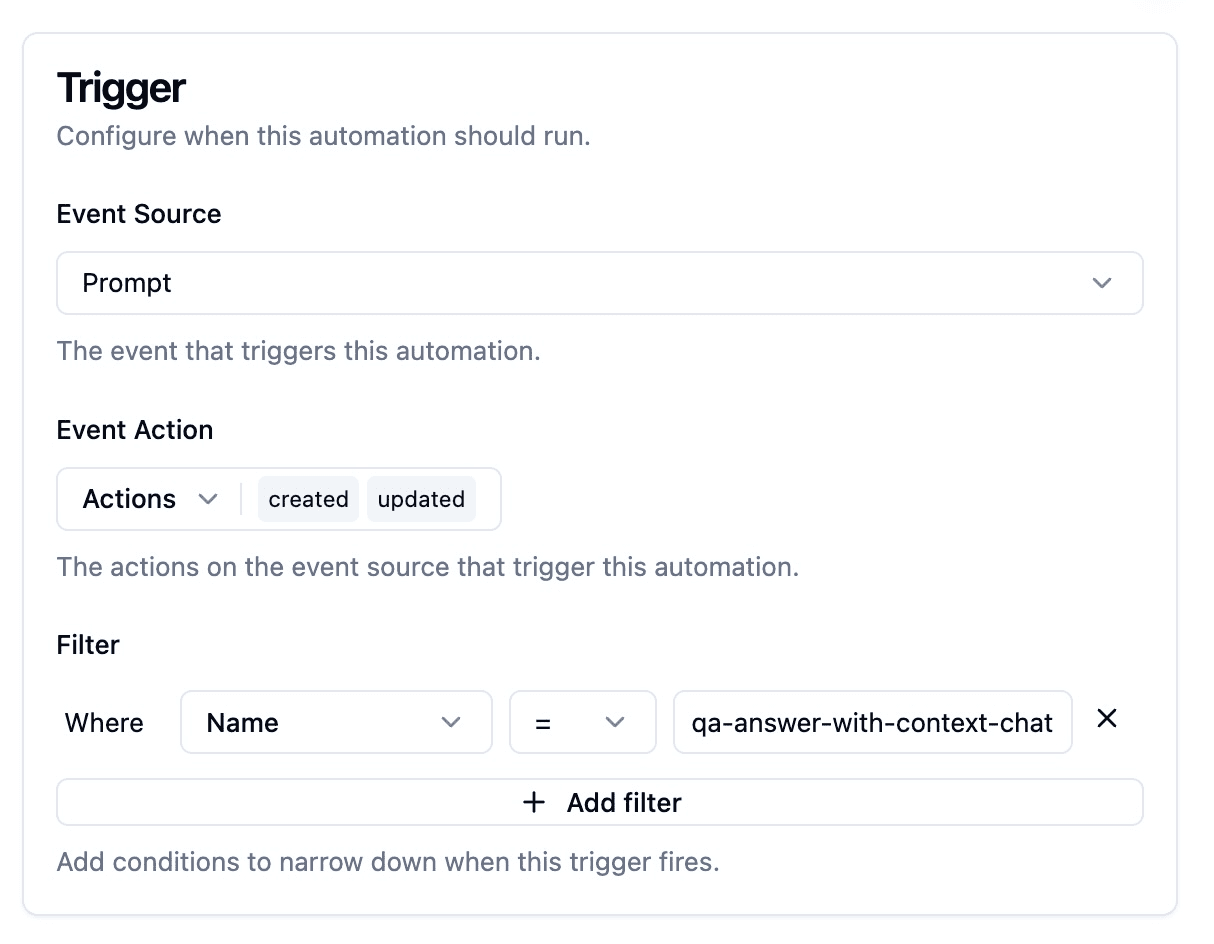
Choose the prompt‑version actions that should fire the webhook:
- Created: a new version is added.
- Updated: labels or tags change (two events fire: one for the version that gains a label/tag, one for the version that loses it).
- Deleted: a version is removed.
(Optional) filter to only trigger on specific prompts.
Configure the request
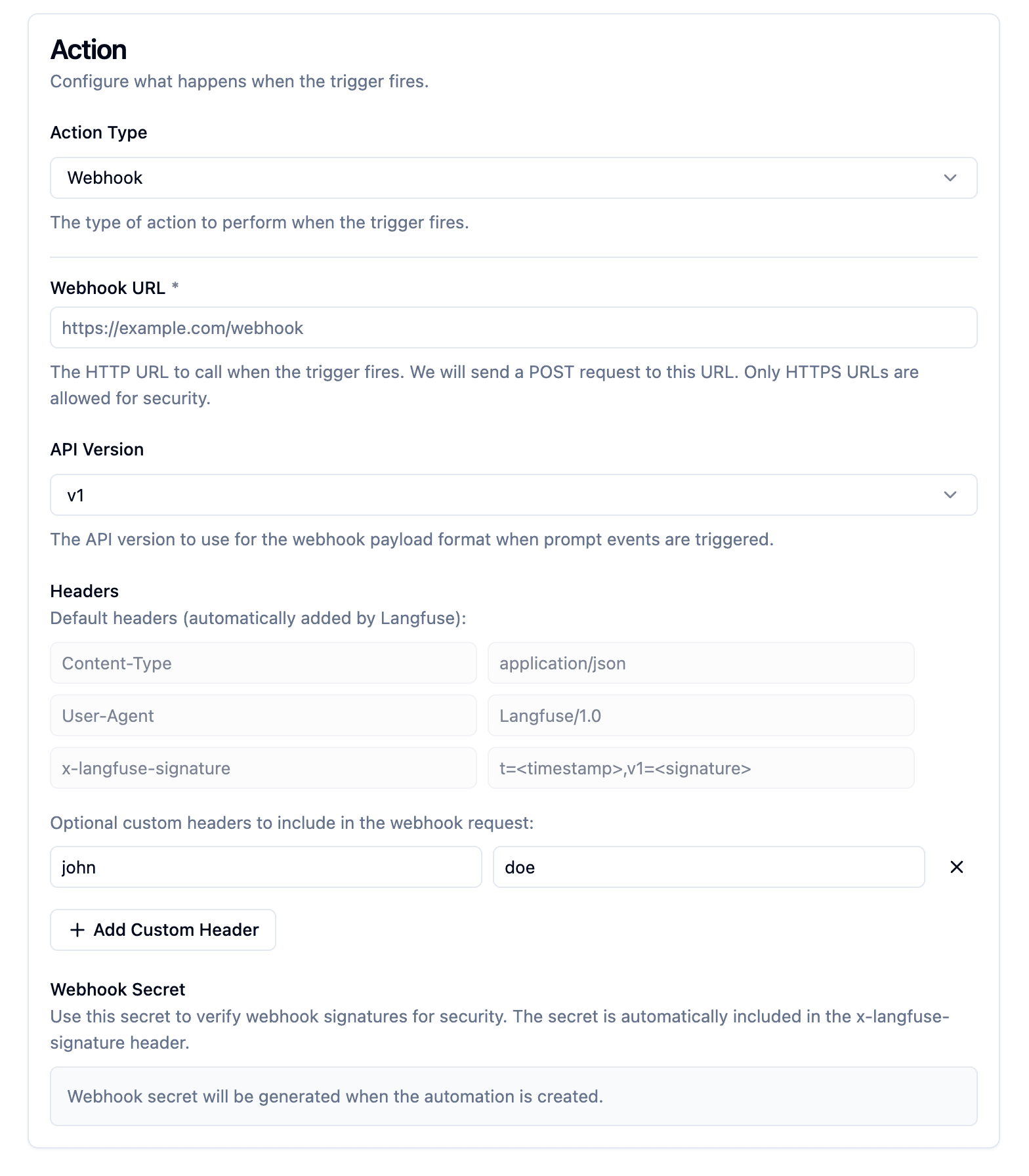
- URL: HTTPS endpoint that accepts POST requests.
- Headers: Default headers include:
Content-Type: application/jsonUser-Agent: Langfuse/1.0x-langfuse-signature: <sig>(see note on HMAC signature verification below)
- Add custom static headers if required.
Inspect the payload
Your endpoint receives a JSON body like:
{
  "id": "550e8400-e29b-41d4-a716-446655440000",
  "timestamp": "2024-07-10T10:30:00Z",
  "type": "prompt-version",
  "apiVersion": "v1",
  "action": "created",
  "prompt": {
    "id": "prompt_abc123",
    "name": "movie-critic",
    "version": 3,
    "projectId": "xyz789",
    "labels": ["production", "latest"],
    "prompt": "As a {{criticLevel}} movie critic, rate {{movie}} out of 10.",
    "type": "text",
    "config": { "key": "value" },
    "commitMessage": "Improved critic persona",
    "tags": ["entertainment"],
    "createdAt": "2024-07-10T10:30:00Z",
    "updatedAt": "2024-07-10T10:30:00Z"
  }
}
Acknowledge delivery
Your handler must:
- Return an HTTP 2xx status to confirm receipt.
- Be idempotent—Langfuse may retry (exponential back‑off) until it receives a success response.
Verify authenticity (recommended)
Each request carries an HMAC SHA‑256 signature in x-langfuse-signature.
Retrieve the secret when you create the webhook (you can regenerate it later).
import hmac
import hashlib
from typing import Optional


def verify_langfuse_signature(
    raw_body: str,
    signature_header: str,
    secret: str,
) -> bool:
    """
    Validate a Langfuse webhook/event signature.

    Parameters
    ----------
    raw_body : str
        The request body exactly as received (no decoding or reformatting).
    signature_header : str
        The value of the `Langfuse-Signature` header, e.g. "t=1720701136,s=0123abcd...".
    secret : str
        Your Langfuse signing secret.

    Returns
    -------
    bool
        True if the signature is valid, otherwise False.
    """
    # Split "t=timestamp,s=signature" into the two expected key/value chunks
    try:
        ts_pair, sig_pair = signature_header.split(",", 1)
    except ValueError:  # wrong format / missing comma
        return False

    # Extract values (everything after the first "=")
    if "=" not in ts_pair or "=" not in sig_pair:
        return False
    timestamp = ts_pair.split("=", 1)[1]
    received_sig_hex = sig_pair.split("=", 1)[1]

    # Recreate the message and compute the expected HMAC-SHA256 hex digest
    message = f"{timestamp}.{raw_body}".encode("utf-8")
    expected_sig_hex = hmac.new(
        secret.encode("utf-8"), message, hashlib.sha256
    ).hexdigest()

    # Use constant-time comparison on the *decoded* byte strings
    try:
        return hmac.compare_digest(
            bytes.fromhex(received_sig_hex), bytes.fromhex(expected_sig_hex)
        )
    except ValueError:  # received_sig_hex isn't valid hex
        return False
import crypto from "crypto";
export function verifyLangfuseSignature(
rawBody: string,
signatureHeader: string,
secret: string
): boolean {
const [tsPair, sigPair] = signatureHeader.split(",");
if (!tsPair || !sigPair) return false;
const timestamp = tsPair.split("=")[1];
const receivedSig = sigPair.split("=")[1];
const expectedSig = crypto
.createHmac("sha256", secret)
.update(`${timestamp}.${rawBody}`, "utf8")
.digest("hex");
return crypto.timingSafeEqual(
Buffer.from(receivedSig, "hex"),
Buffer.from(expectedSig, "hex")
);
}Authenticate Slack with Langfuse
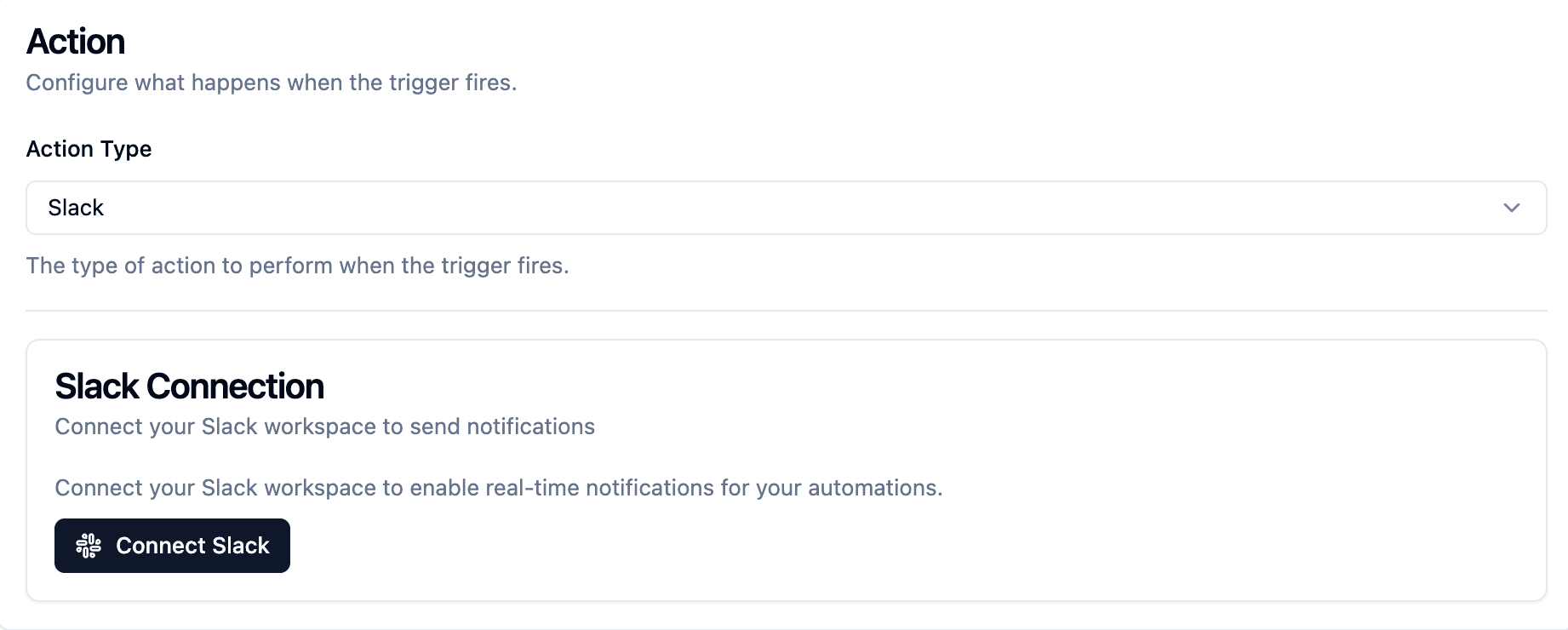
- Langfuse connects to Slack via OAuth.
- We store secrets to Slack encrypted in our database.
Select channels to send notifications to
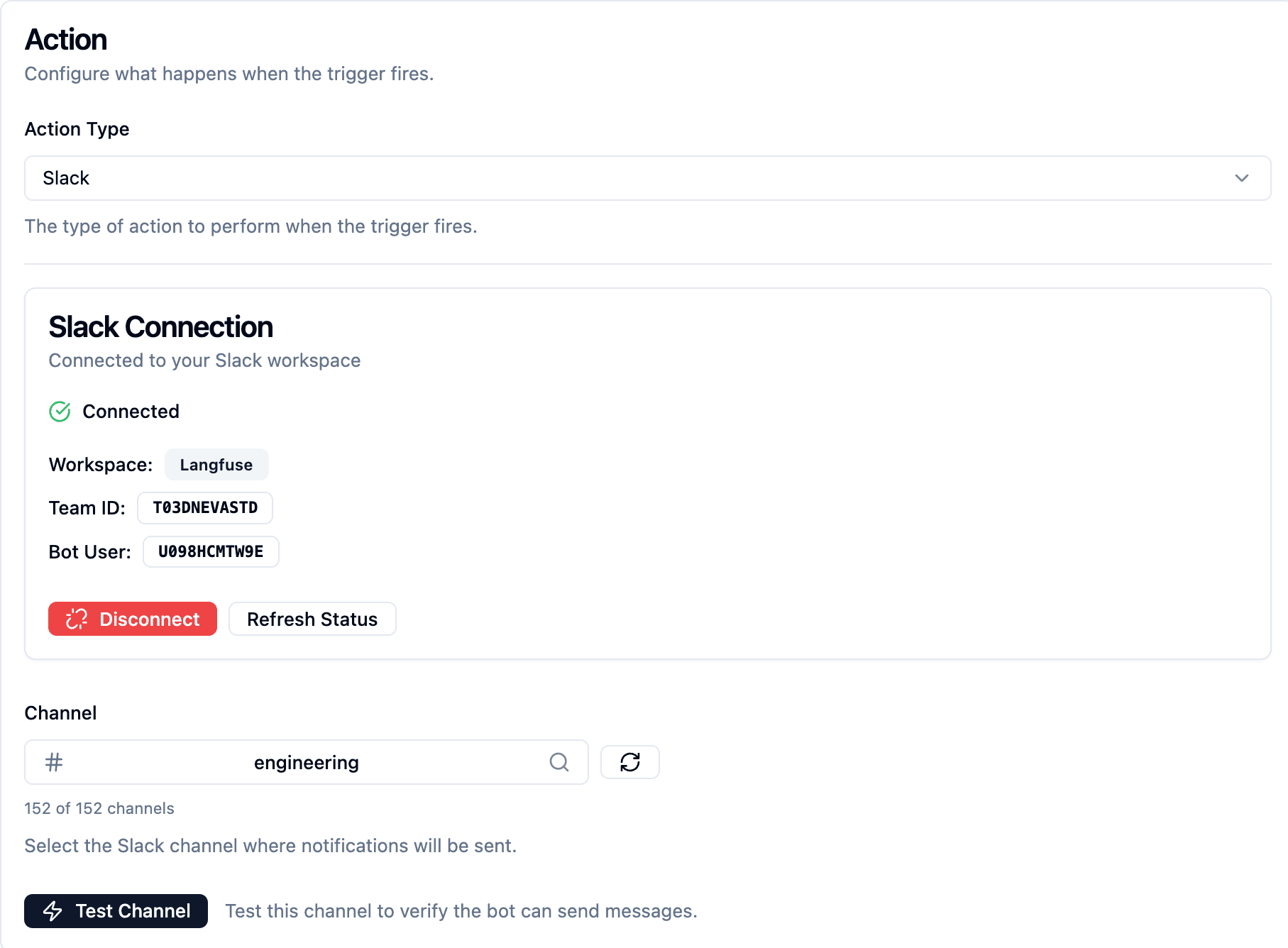
- You can select a channel where you want to send notifications.
- You can run a dry run to see that messages arrive in your channel.
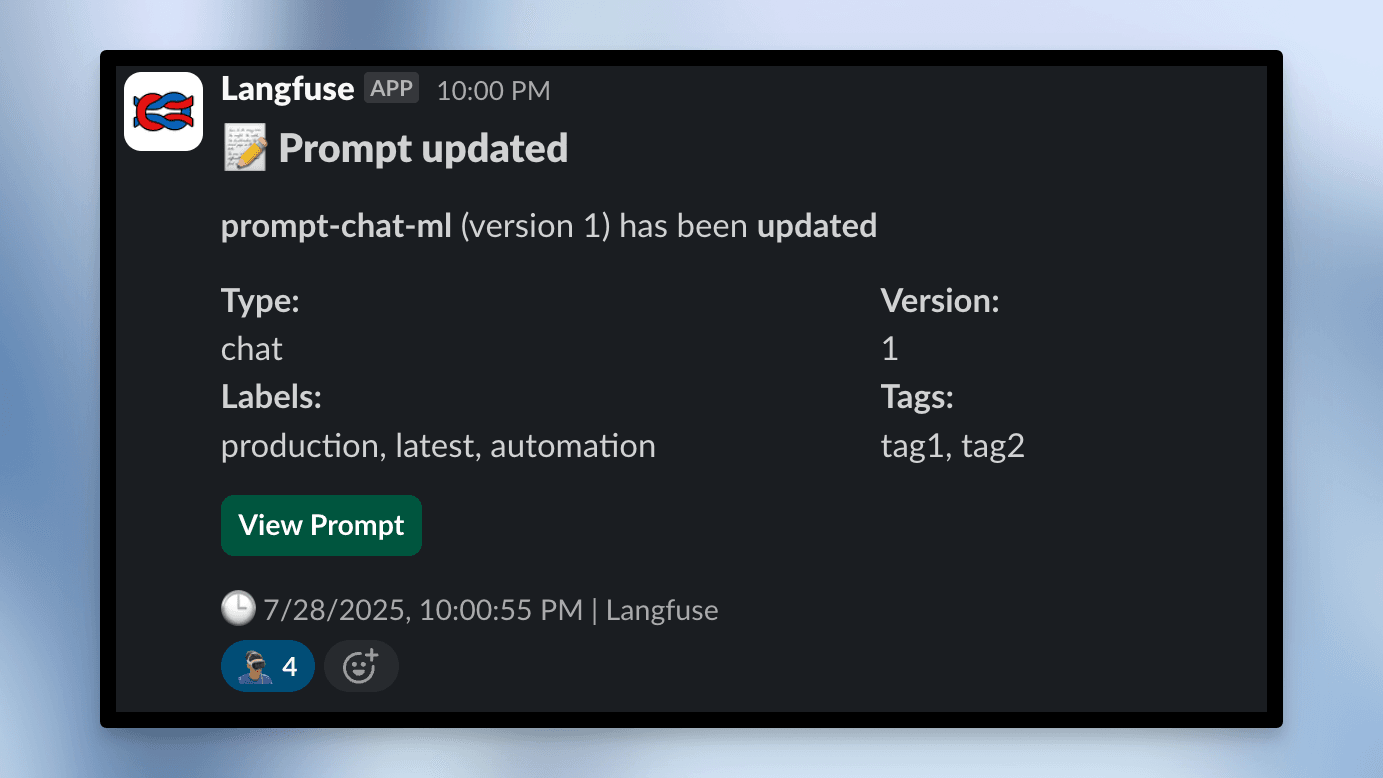
See the message in Slack
Was this page helpful?